
Submitting Data in DUOS
Integrating a new user type into an existing data access platform
Researchers struggle to categorize, release, and maintain human subjects datasets due to complex and/or ambiguous restrictions on research use. DUOS removes this obstacle by simplifying the data submission experience.
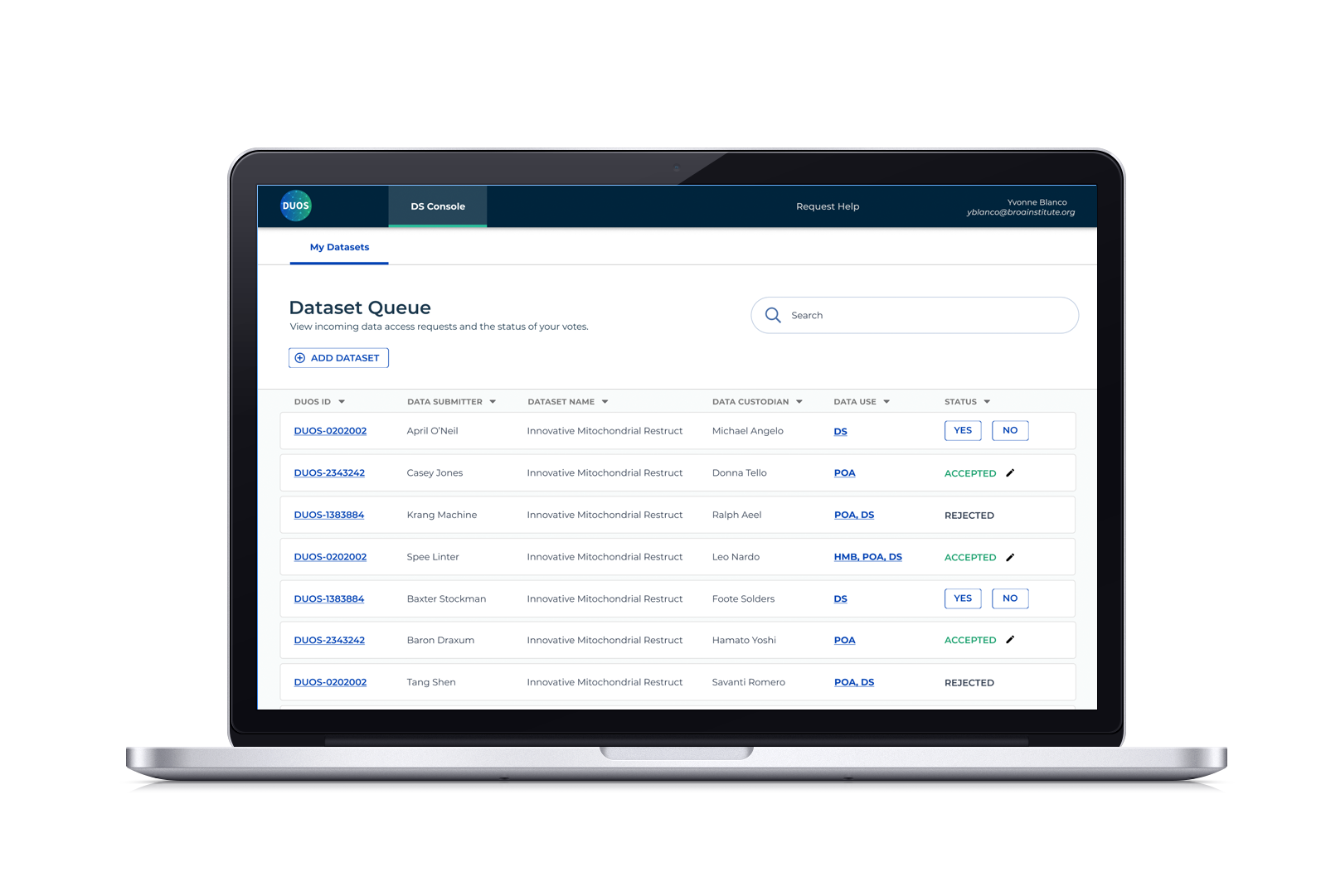
Role
UX/UI Design
Collaborators
1 Product Manager
1 Frontline Support Engineer
2 Full-stack Engineers
External Stakeholders
NIH
AnVIL
GA4GH
Duration
2 months
-
DUOS is a platform that aims to simplify the process of requesting permission to use protected datasets. With four established personas, we needed to integrate a new user type, Data Submitters, who produce the data that our researchers need.
By leveraging user research, I created a persona that highlighted their needs and painpoints, informing the design of a form with the flexibility to submit to different entities and a console that allows Data Submitters to track the status of their submitted datasets.
Simplifying this experience generated nearly $100,000 in revenue for DUOS within a four month period.
What is DUOS, and how does it fit in the research data ecosystem?
DUOS stands for the Data Use Ontology System, a platform developed at the Broad Institute. Researchers need to access human subjects datasets, which often have complex and/or ambiguous restrictions on future use. DUOS aims to simplify the process of requesting permission to use datasets.
Researchers access datasets by completing a Data Access Request (DAR). The DAR is submitted to a corresponding Data Access Committee (DAC), which votes on whether the Researcher should be granted access. DUOS streamlines this process, reducing the time from request to approval.
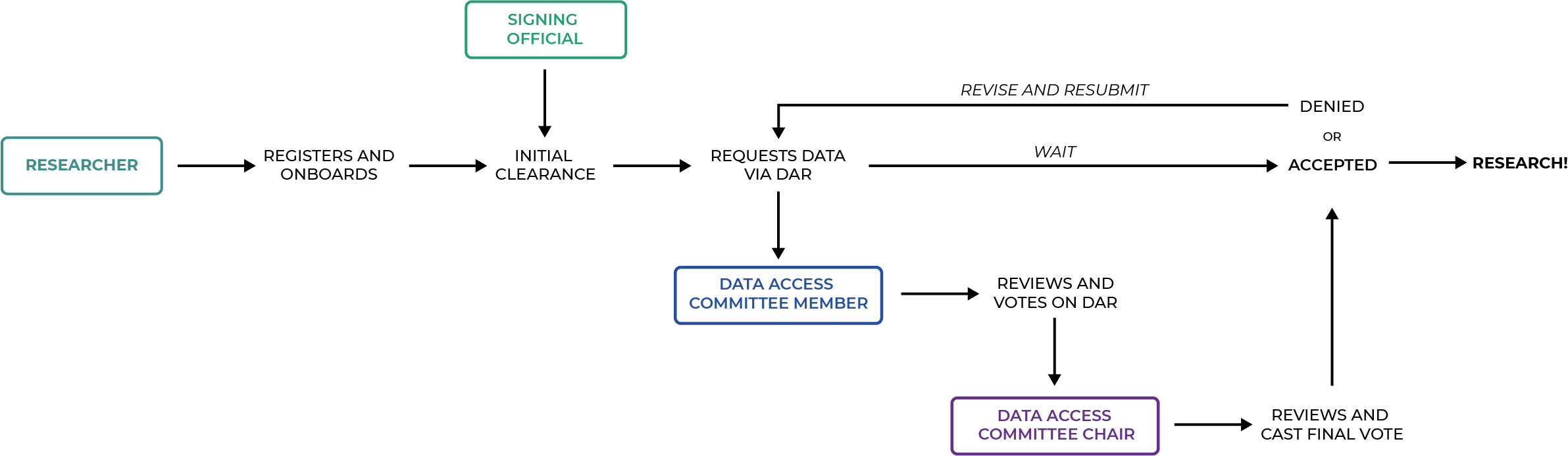
Our Challenge: DUOS has an established end-to-end flow, how can we seamlessly integrate a new user type?
Data Submitters, a newly defined user type, produce the data that our researchers desperately need.
They need to register and categorize their datasets according to established data use ontology and OSTP (research security) guidelines to ensure that their datasets are used ethically and for their intended purpose. Mis-categorized data can stall research or produce misleading insights, which increases funding rejections and could put clinical trial subjects in harm’s way.
Our Goal: Build a data submission experience that prioritizes speed, accuracy, and alleviates custodial burdens
DUOS has an established system that focuses on the request/approval dance between researchers and data access committees. How can we create a pleasant data submission experience that seamlessly integrates into this established process? Do we need to build a completely new interface, or can we leverage existing design and interaction patterns?
To reduce initial ambiguity, we framed this as a user story:
As a Data Submitter, I want to register my dataset so that it can be managed by data access committee, viewed by requesting researchers, and connected to my data’s location.
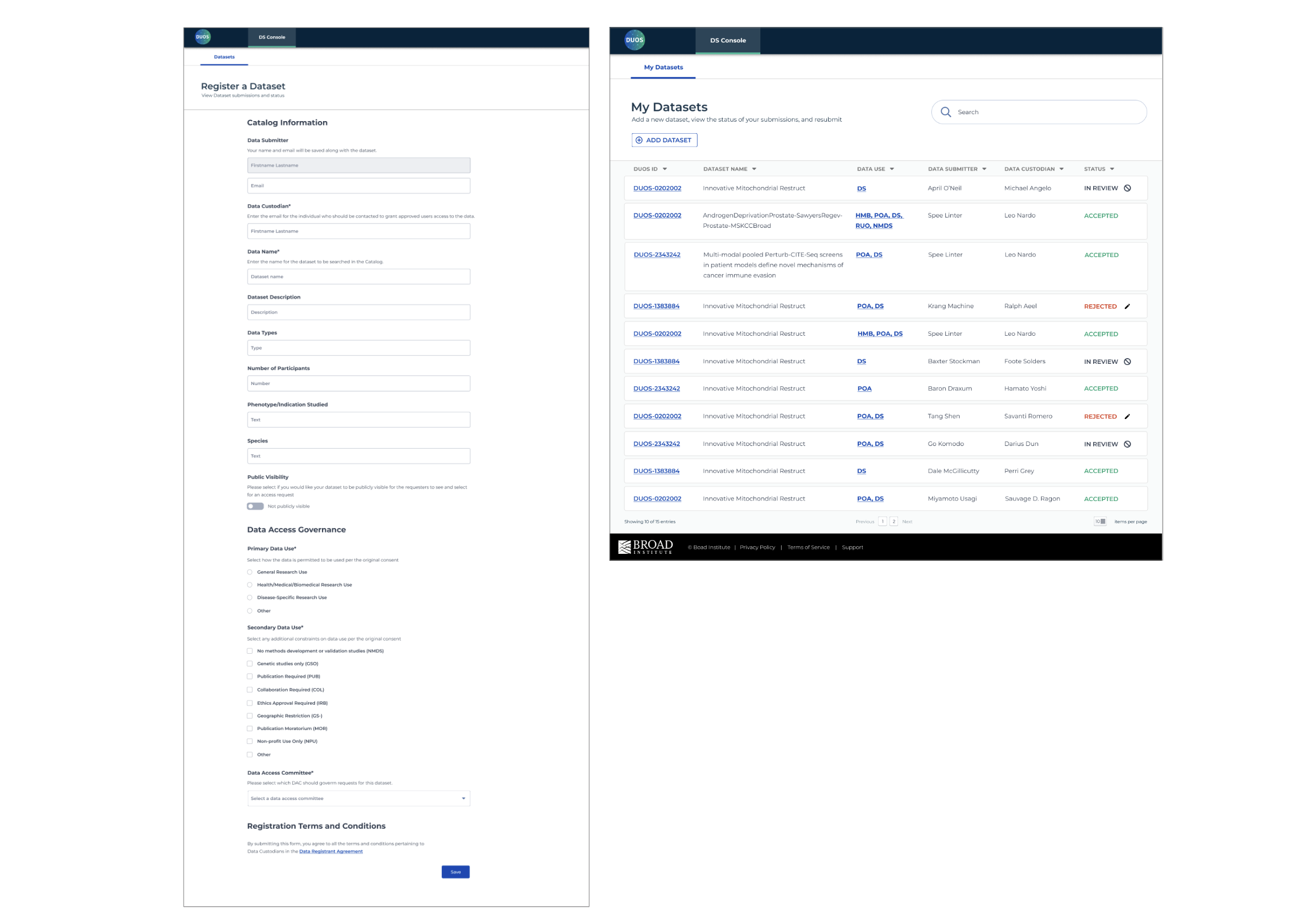
Solution: A new form and console that leverage existing workflows and design patterns while addressing Data Submitters’ needs
I translated user research conducted by our PM into a persona for Data Submitters that highlighted their needs and painpoints, identifying feedback loops and interactions with other personas. After analyzing existing design and interaction patterns, I designed an experience that adequately supports Data Submitters and Data Access Committee (DAC) members by providing:
A single form with the flexibility to submit to different entities (NIH, Anvil, etc) by activating features that allow you to expand or add specialized sections
A console that allows Data Submitters to track the status of their submitted datasets, notify DACs if it’s taking too long, and revise rejected submissions
We measure impact through the amount of revenue generated from dataset submissions. According to DUOS’ 2022 end-of-year report, dataset registration generated nearly $100,000 in revenue for DUOS since its pilot deployment in August 2022.
Process Overview
My PM and I collaborated to devise a strategy leveraging research, analyzing existing end-to-end worflows to identify integration points, and prototype solutions to test. Our PM had the necessary security clearance to communicate with NIH researchers and DACs, so he also acted as our UXR. I synthesized his findings and created journey maps and service blueprints that were translated to wireframes and polished UI interfaces. My PM tested prototypes with researchers and provided feedback that informed iterations. Working in Agile sprints with our engineers, we shipped the form and console in two months after the initial kickoff.
Meet Diego, our hero of data generation
Diego was born from the insights provided by my PM, after surveying 36 researchers and conducting 12 in-person interviews. Diego is a data researcher, capable of generating a plethora of datasets in order to keep up with their publication needs. If they don’t get published, they won’t get funding. We want to help them mitigate the top challenges they’re worried about:
Management. They are not sure who they should allow access to and under what circumstances, and they don’t have the time to properly manage their datasets.
Uncertainty. They don’t know how their data is going to be used or whether it will be used ethically, and that could have dire consequences.
The Law. Diego’s terrified that they won’t be able to publish their data in time to comply with the OSTP guidance that states that data supported by federal funds must be made freely available.
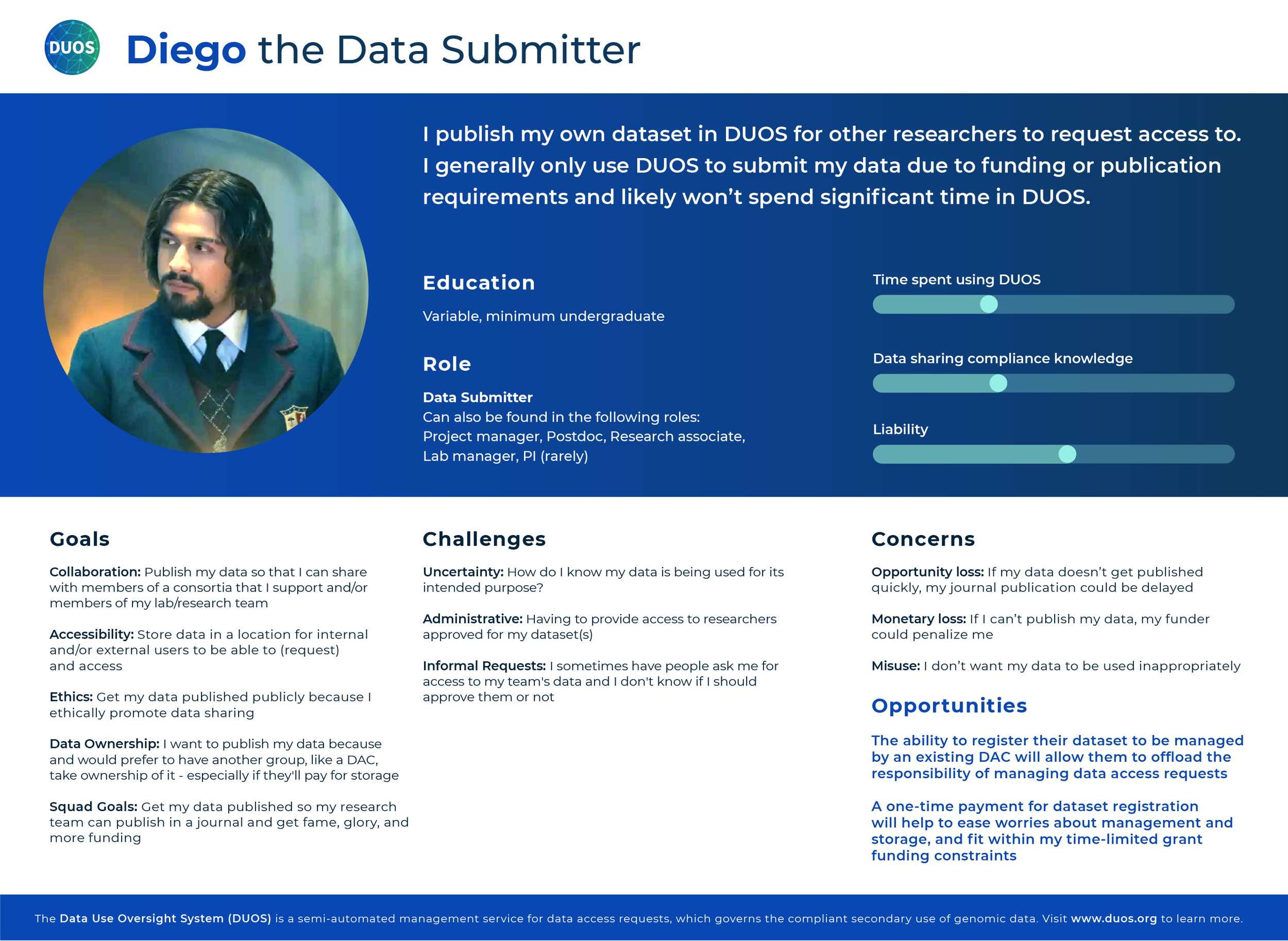
If Diego looks familiar, it’s because I used David Castañeda who portrays Diego Hargreeves in The Umbrella Academy to humanize this persona. These artifacts were used internally, so I could have a little fun without getting into trouble. I am always looking for ways to bring delight and this got a good laugh from my team.
Who does Diego interact with, and where do they fit in our workflow?
Now that I had a solid understanding of Diego’s needs and challenges, I ran a messy Miro mapping exercise to figure out their journey. We discovered that Diego will experience the same initial onboarding as other personas, but ultimately only needs to interact with the DACs.
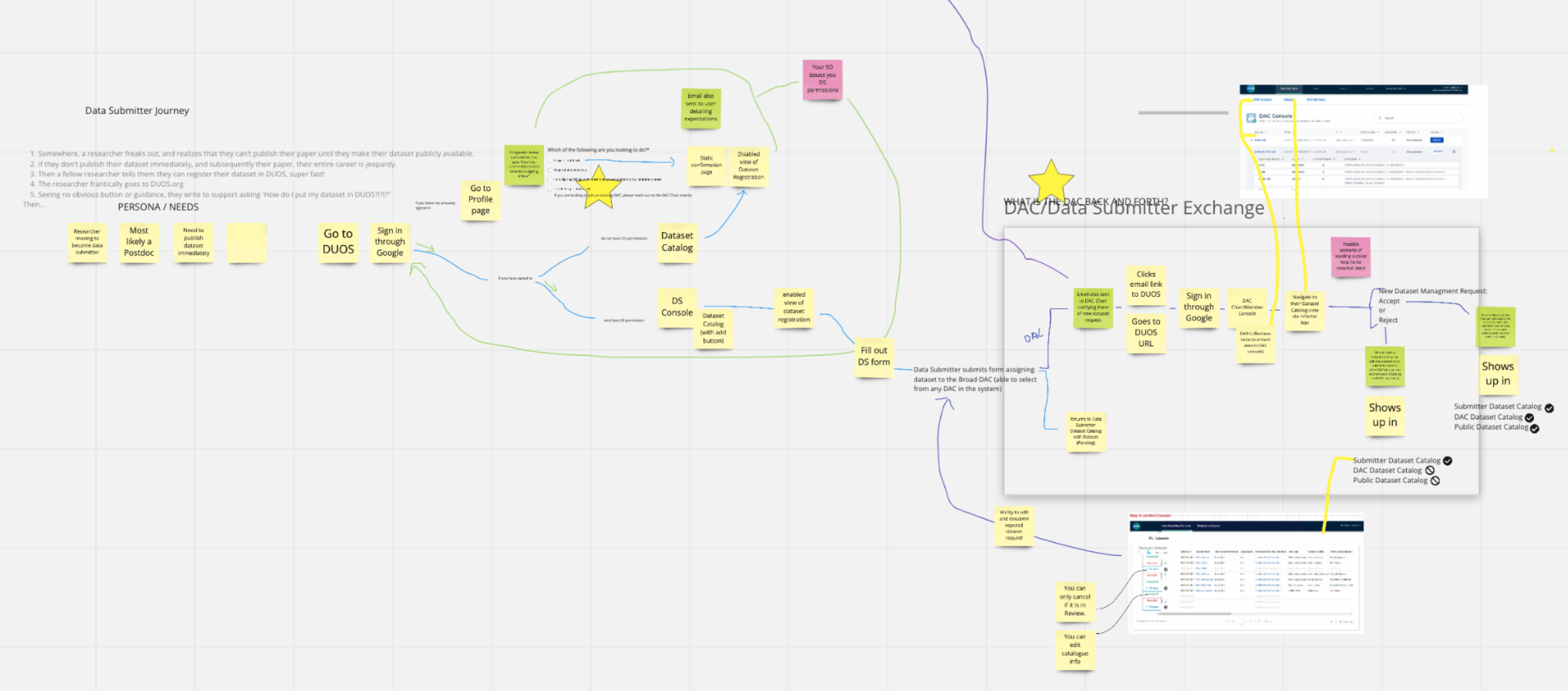
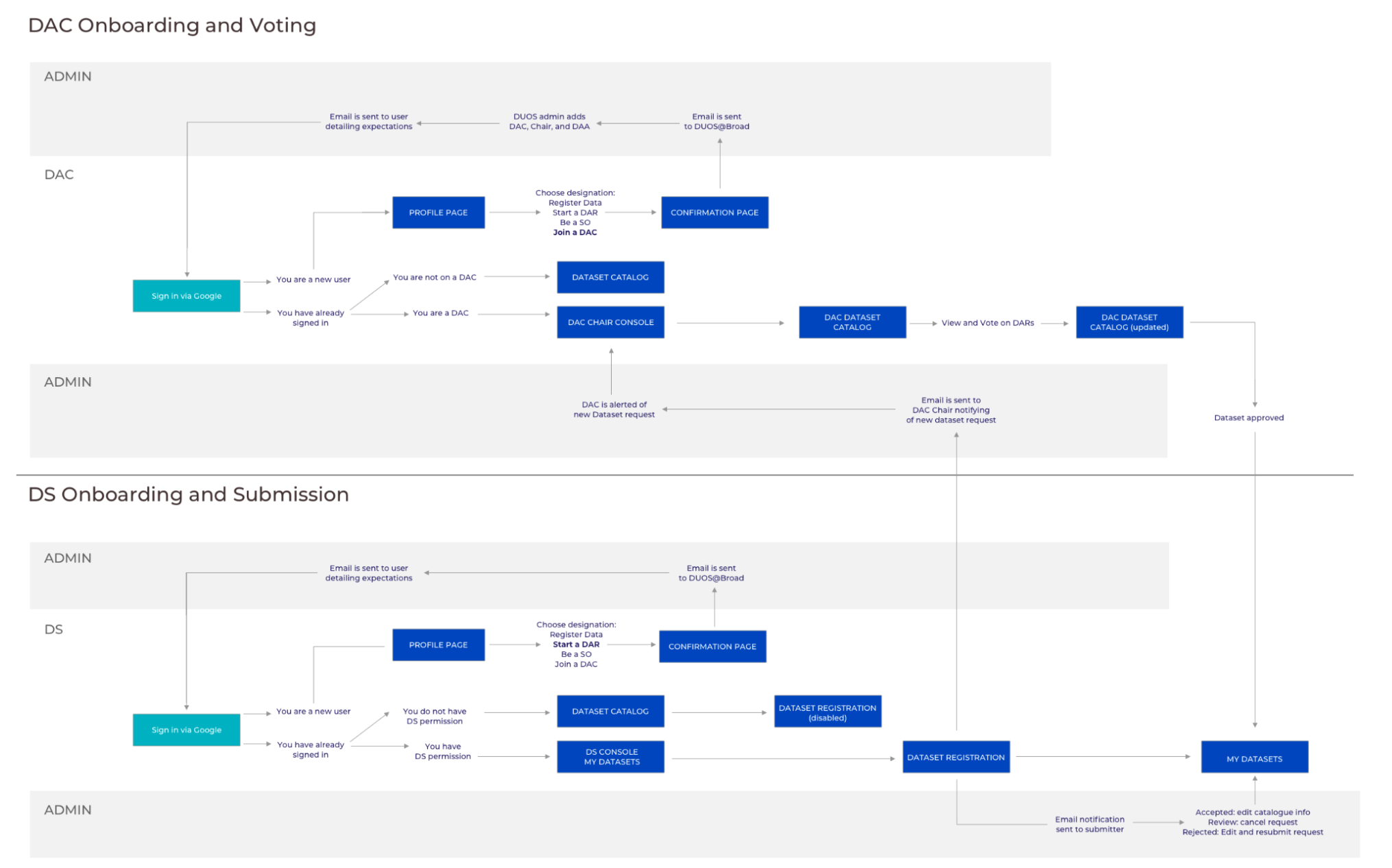
Diego’s arc is short: they submit data, request approval, revise and resubmit if necessary, and then move on to generating more data. They only need to engage with a DAC. Given that there are some behind-the-scenes work from our admins, I visualized this as a service blueprint. This helped me identify possible areas of complexity, delays, or miscommunications.
Avoiding form fatigue
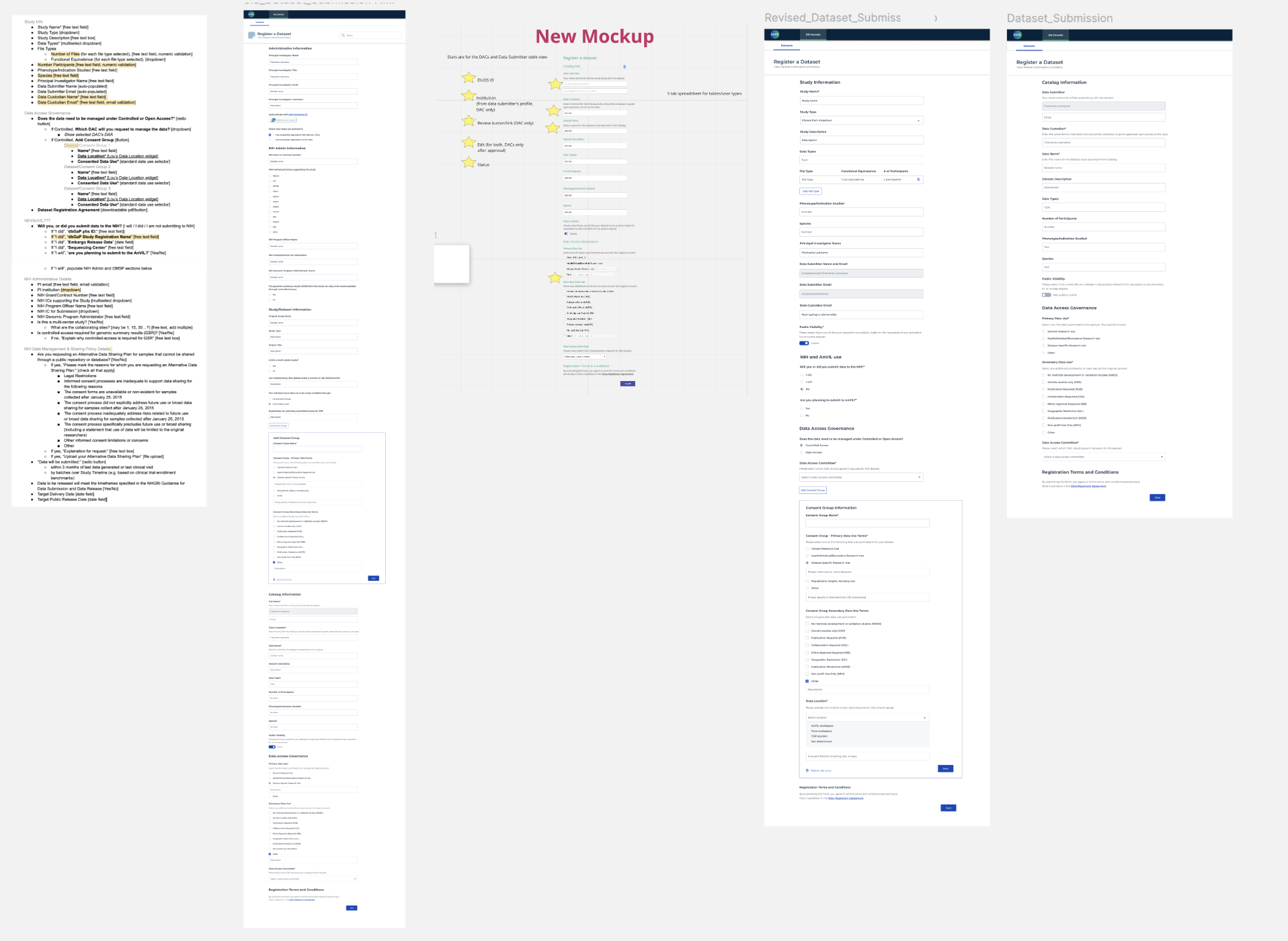
In order for Diego to submit their dataset, they need to register via a form. I mocked up a document with all the required information into a form using components from design library and quickly realized that it was too long. Depending on the kind of dataset, some fields were unnecessary (if you are not submitting to NIH or AnVIL, your form is 50% shorter) and it threw off our initial testers (“I’m not sure what to write here; can I leave it blank?”).
To fix this, we identified the five main categories of information: Study Information, NIH or AnVIL use, Data Access Governance, and Consent Group. The default state assumes you are not submitting to NIH or AnVIL; if you respond “yes” or “I will”, the form expands accordingly and reduces confusion.
Helping Diego track their dataset approval status
Remember how we mentioned leveraging existing design and interaction patterns? In an earlier quarter, I had designed a set of consoles for DACs to review and grant data access requests. It provided an identifying number, what the study was about, the researcher name and institution, how many datasets in the request, and what action they could take based on the status in order to reduce approval turnaround time.
While identifying fields, we realized that this console is essentially the mirror of the DAC console. DACs need to know when a request is ready to be reviewed whereas Data Submitters need to know when it’s being reviewed. The console is designed to organize datasets through an assigned ID number that takes you to your summary, clickable ontology classification for more information, and the status shown in red and green as a visual indicator of acceptance or rejection.
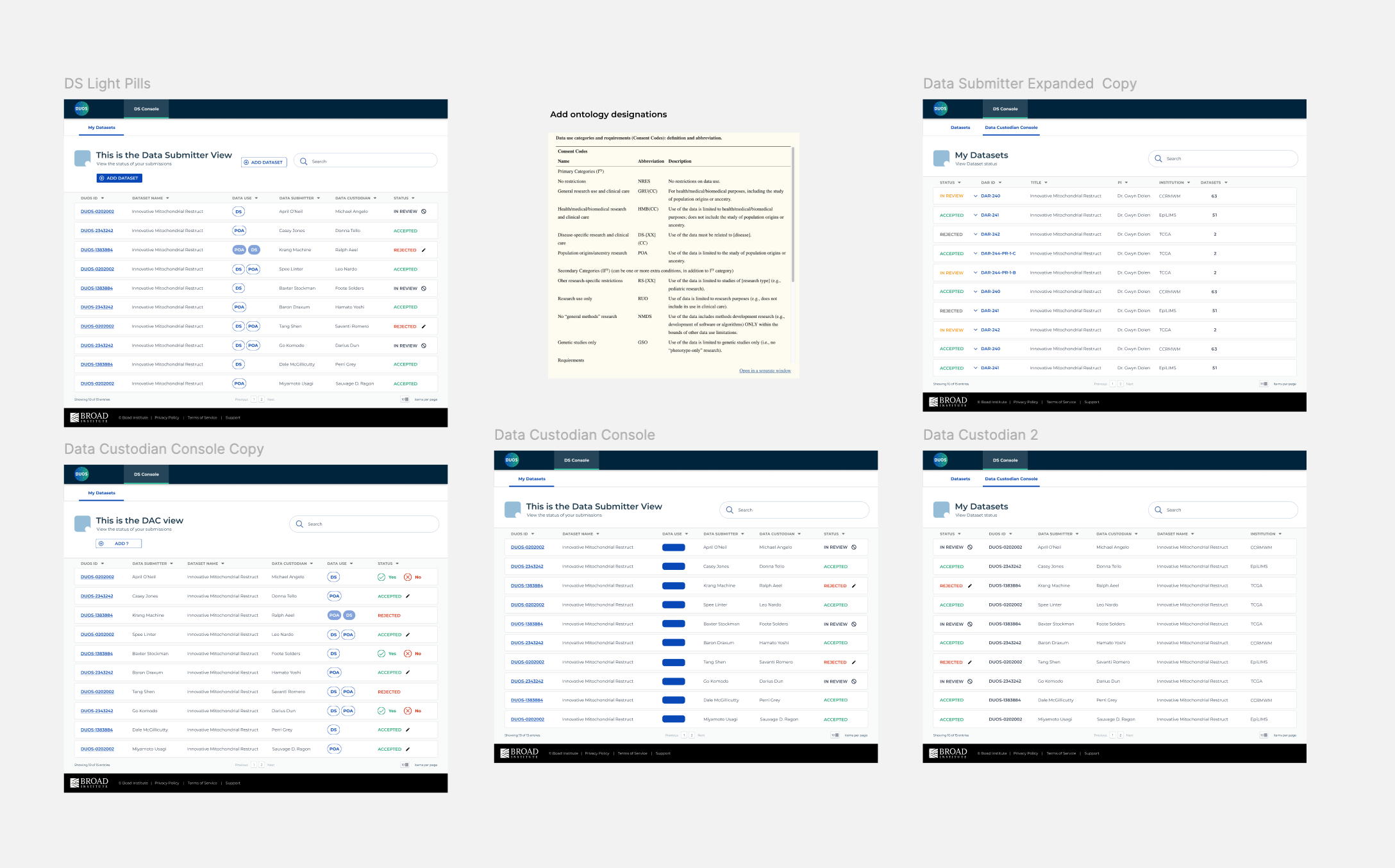
Exploring ways to communicate status and show dataset designations (DS for Disease-specific, GRU for general research use, etc.). Along the way, an upload button was added and status actions were simplified to only allow Diegos to revise and resubmit after a rejection.
Final polished designs
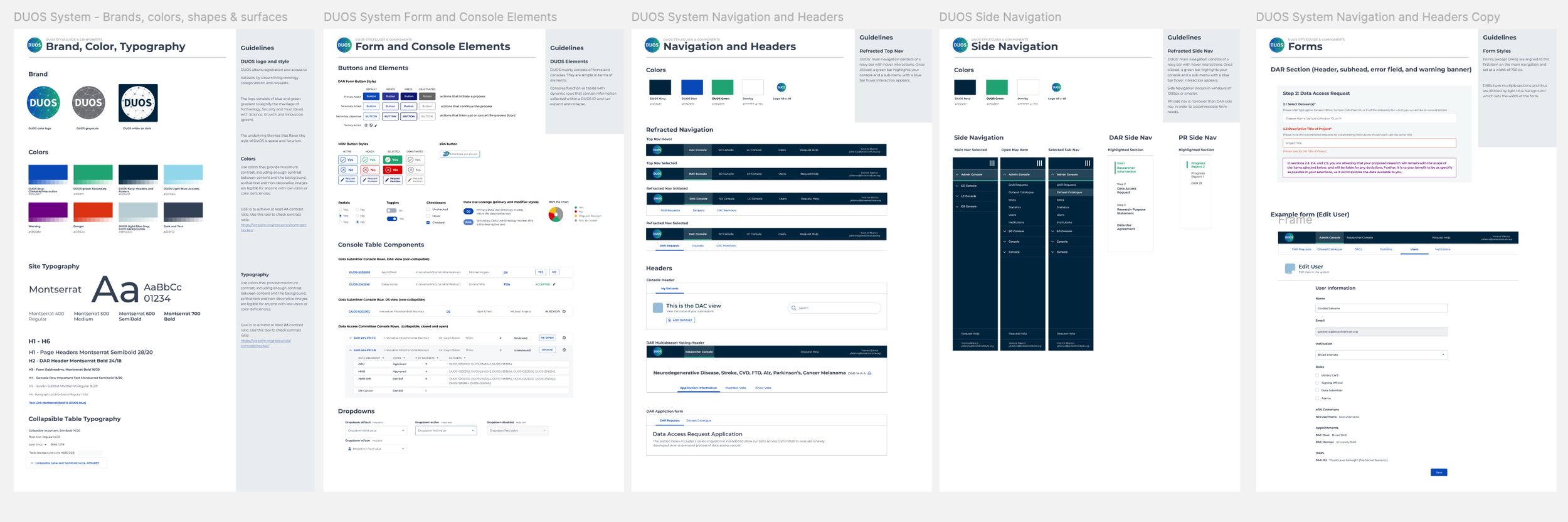
If the above process mocks look unreasonably polished, it was because I had built DUOS a style guide and component system. I could quickly port over input fields that established padding and styled typography. This meant that the last steps were very nitpicky adjustments. Our engineers had a stash of these React components, seeing these designs evolve in our daily stand-up increased our velocity.
Final outcomes and reflections
Dataset registration is one of DUOS’ main sources of revenue (they mostly rely on grants). By January 2023, dataset registration had generated nearly $100,000 in revenue for DUOS since its pilot deployment in August 2022. After the 2024 US law dictating that data produced with the aid of government funding must be made freely available, registration rose exponentially.
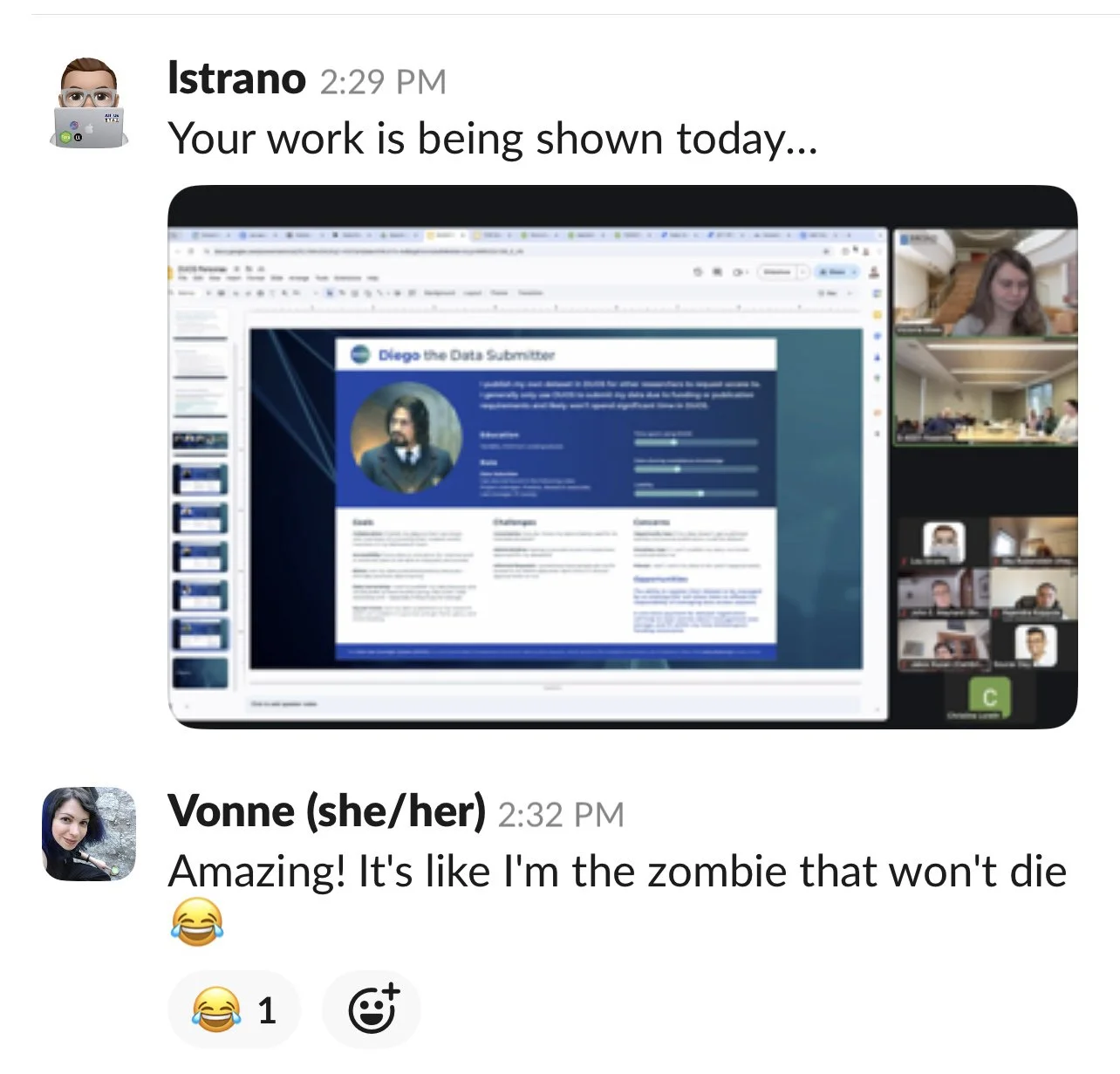
Sadly, I was transferred to the Cancer Dependency Map team that sorely needed design help in early 2023. DUOS is still going strong and using the personas and design system I created. Here’s a slack from my former manager in late 2024.
Had I continued with DUOS, I would have proposed new features, such as a dashboard with visualizations to track progress and identify trends in acceptance and rejection rates. I would have also requested to apply for security clearance so that I could conduct user research and testing, or at least sit-in on these sessions, to reduce time spent waiting for feedback.